Viewing Programs as an Athlete
Step 1: Navigate to Program Viewer
- On the left sidebar, scroll down to the Programming section and click Programs.
Step 2: Select Your Program
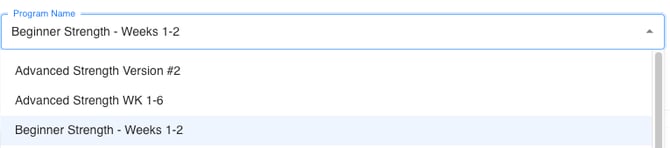
- At the top of the Program Viewer, use the Program Name dropdown to select the program you are currently working on.
Step 3: Choose Your Week and Day
- Once you’ve selected your program, use the Week dropdown to choose which week you’re on, and the Day dropdown to select the specific day of your workout.

Step 4: View Your Program
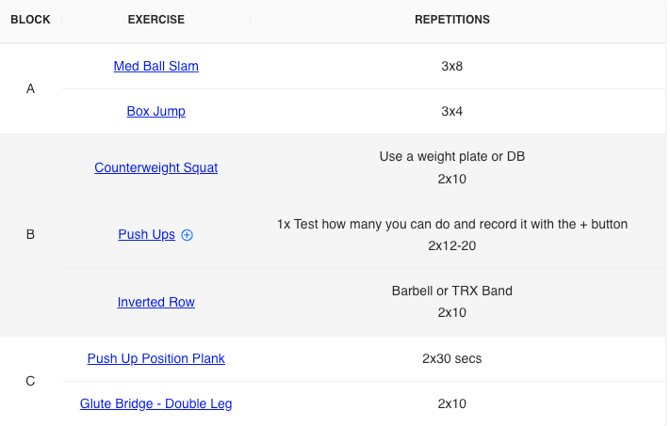
- After selecting the week and day, your workout will display automatically on the screen.
You’ll see the program organized by blocks, exercises, and repetitions, along with any notes or instructions your coach included.