How to Mark an Exercise as Recordable
-
Navigate to Programs
-
On the left sidebar of Tully, click on Programming, then select Programs. From the list, choose the program that you want to edit.
-
-
Confirm the Exercise Exists as a Metric
-
When in the program builder, only exercises that have already been created as metrics in Tully can be marked as recordable.
-
If the exercise you are typing in does not appear in the dropdown list, that means it has not been created as a metric yet.
-
-
-
Select the Exercise
-
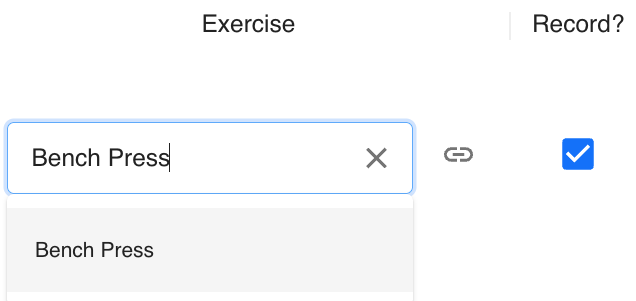
In the Exercise column, click into the text box and type the name of the exercise.
Choose the appropriate exercise from the dropdown list. Once the exercise appears in the box click on it. This will select the metric that is created in the system.
-
-
Mark as Recordable
-
-
Once a valid, pre-built metric is selected, a Record? checkbox will appear on the right side of the row.
-
Click this checkbox to mark the exercise as recordable.
-
When a blue check mark appears, it indicates that this exercise is now recordable and can have data tracked against it in the program sheet.
-
-