Navigating to the Program List
-
On the left sidebar of Tully, navigate to Programming and click into Programs.
- Navigate to the top right and click into Manage Programs
Using Filters to Find Programs
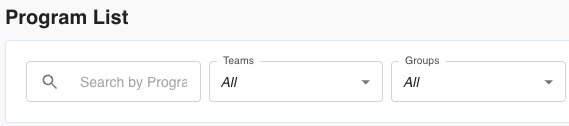
At the top of Manage Programs, you’ll find filters that make it easy to locate specific programs
-
Search Bar: Use the search bar to find a program by name. This is helpful if you have a long list of programs and want to locate one quickly.
-
Teams Filter: Use this dropdown to view only programs assigned to a specific team.
-
Groups Filter: Use this dropdown to view programs associated with a specific group.
These filters help narrow down what you see on screen so you can quickly find the exact program you need to manage.
Editing a Program
Once you find your program of interest, click the Edit button to make changes.
Editing allows you to adjust any part of the program, such as exercises, weeks, days, or assignments.

Viewing a Program
If the program is marked as Visible, you’ll see a View button that allows you to open the program for review.
If a program is set to Hidden, it cannot be viewed until visibility is toggled back on.

Duplicating or Deleting a Program
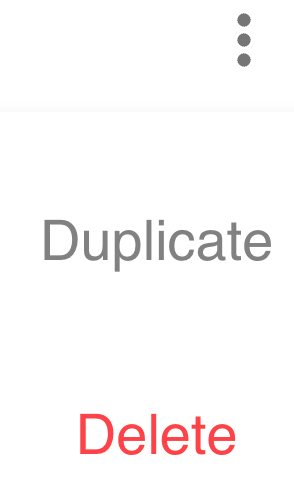
On the right side of each program card, you’ll see an ellipsis (three dots). Clicking this icon reveals management options for that program.
-
Duplicate: Creates an exact copy of the selected program. This is helpful for quickly creating a new program based on an existing one without rebuilding it from scratch.
-
Delete: Permanently removes the selected program from your Program List.