
Finding the Programing Tool
On the left sidebar, scroll to the Programming section and select Programs
Creating a New Program
In the top right corner of the Programs page, click the blue Manage Programs button.

Entering Program Details
Once the program creation screen opens, fill in the following fields:
-
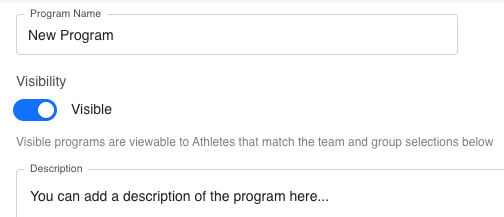
Program Name – Enter a clear, descriptive name for the program.
-
Visibility Toggle – Choose whether the program is Visible (athletes can view it) or hidden.
-
Description – Optionally, add a brief description outlining the purpose or focus of the program.
Assigning the Program
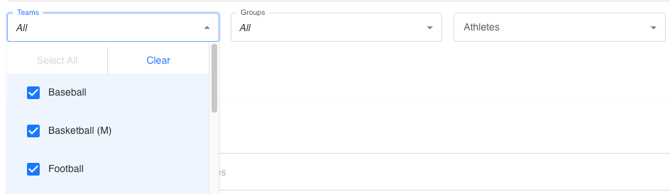
You can assign the program to specific Teams, Groups, or Athletes using the dropdown menus:
-
Teams – Select one or multiple teams, or choose All.
-
Groups – Choose which groups should have access to the program.
-
Athletes – Select All athletes or individual athletes to assign the program.
Setting the Program Structure
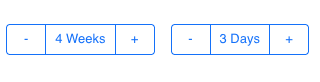
At the bottom of the setup page, use the + / - buttons to define how long the program will last:
-
Weeks – Adjust how many weeks the program will run.
-
Days – Set how many days per week will be programmed.
Once complete, you’re ready to begin adding workouts, exercises, and training content to your new program.
Summary
Creating a new program in Tully gives coaches the flexibility to organize and deliver structured training plans to the right athletes. By setting visibility, assigning the correct teams or groups, and customizing program length, you can efficiently manage your organization’s programming workflow.